
- From the TinyCat Admin page, go to LibraryThing, and under ‘Cataloging’ click on ‘Your books’.
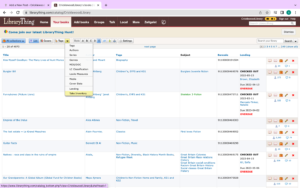
- From the drop down menu next to ‘Covers’, choose the ‘Take inventory option’:
3. Once the ‘Take inventory’ option has been selected, it will look like this:
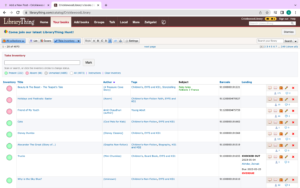
4. Go through the list and if books are on the shelves or are checked out, then click the circle on the left of the title and it will turn green, to mark the book as ‘Present’. If the book cannot be found on the shelves, then double click the circle to make it red, and mark the book as ‘Absent’.